About CaseConverter
Your go-to free online tool for instant text case conversion. Transform your text effortlessly across multiple formatting styles.
See Our Tool in Action
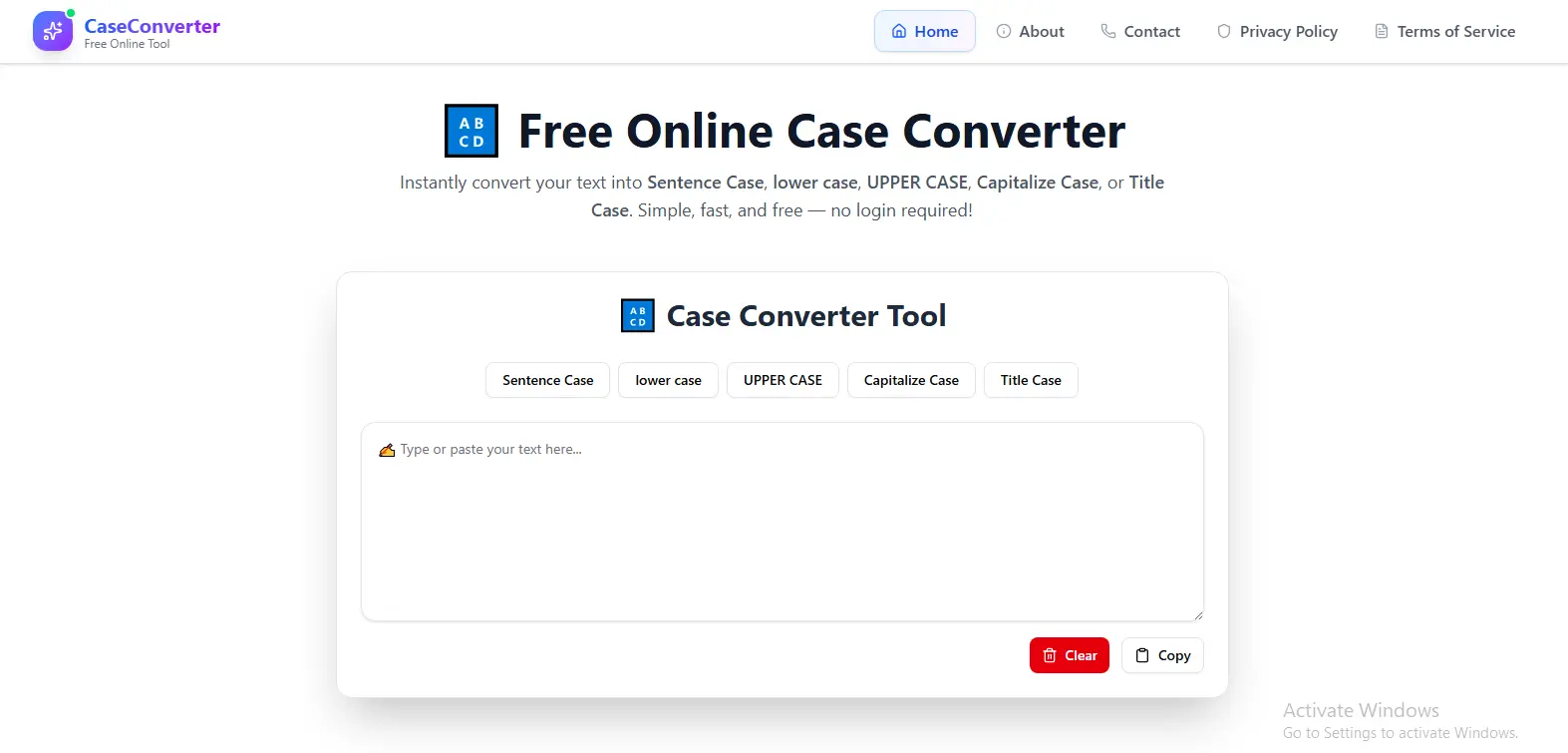
Our clean and intuitive interface makes text conversion simple and efficient
CaseConverter is a simple tool that helps you change your text into different cases easily. In today's digital world, clear and good text formats is important to share the informatoins and understandable.This tool saves you time by fixing your text format.Our tool makes text formatting effortless, helping you save your time.
CaseConverter was created to solve the problems ot the content writers , students and other professionals — this tool quickly change the text case without any changing your content. Instead of wasting time on manual edits or digging through menus, CaseConverter makes it easy to convert text instantly, right at your fingertips.
CaseConverter also focus on the user privacy and this tool do not collect any data . Since it runs entirely in your browser, everything happens on your device — your text never gets sent anywhere. This way, you can safely you converter cases and do not worry about your data and privacy. Learn more about our privacy practices in our Privacy Policy.
Sentence Case
Perfect for starting paragraphs, emails, and any formal writing that requires proper sentence structure. This case capitalizes only the first letter of your text while keeping the rest in lowercase, following standard English grammar rules. documents.
Example: "hello world. how are you today?" → "Hello world. how are you today?"
Best for: Formal documents, business communications, academic papers, and professional emails where proper sentence structure is essential.
Lower Case
Essential for programming, web development, and maintaining consistency in digital content. Lower case conversion is crucial when working with code, as most programming languages are case-sensitive.
Example: "Hello World, This Is IMPORTANT" → "hello world, this is important"
Best for: Programming variables, file names, email addresses, URLs, usernames, and database entries where case consistency matters.
Upper Case
Ideal for creating emphasis, headings, and important notices that need to stand out. Upper case text commands attention and is often used for warnings, titles, and announcements. In design contexts, it can create visual hierarchy, while in documentation, it helps distinguish section headers from body content.
Example: "important notice: system update" → "IMPORTANT NOTICE: SYSTEM UPDATE"
Best for: Headings, titles, warnings, announcements, logos, and any content that requires strong visual emphasis or attention-grabbing presentation.
Capitalize Case
Excellent for proper nouns, titles, and specific formatting requirements where each word needs individual attention.
Example: "the quick brown fox" → "The Quick Brown Fox"
Best for: Proper names, product titles, category labels, book titles, and any context where each word deserves equal emphasis and proper capitalization.
Title Case
Professional formatting specifically designed for headings, titles, and publication-ready content. Title case follows specific grammatical rules where major words are capitalized while minor words (like articles and prepositions) remain in lowercase.
Example: "the lord of the rings: the return of the king" → "The Lord of the Rings: The Return of the King"
Best for: Book titles, article headlines, blog post titles, academic papers, and any formal publication where professional title formatting is required.
Completely Free - No Strings Attached
Unlike many online tools that offer limited free usage or require subscriptions, CaseConverter is 100% free with no hidden costs. There are no usage limits, no premium features locked behind paywalls, and no surprise charges.
Instant Results - No Waiting, No Delays
Experience real-time conversion as you type or paste your text. Whether you're working with a single sentence or lengthy documents, the conversion happens seamlessly in the background.
Universal Compatibility - Works Everywhere
CaseConverter is designed with responsive principles, ensuring perfect functionality across all devices and platforms. You are using this in the laptop, mobile, tab, and all other devices. There's no need for app installations, software updates, or compatibility checks. Simply access our website through any modern browser and start converting text immediately.
Maximum Security - Your Data Stays Yours
In an era of increasing data privacy concerns, CaseConverter stands out by processing everything locally in your browser. Your text never reaches our servers, gets stored in databases, or gets transmitted over the internet.
User-Friendly Design - No Learning Curve
We've designed CaseConverter with simplicity and intuition in mind. There are no complicated settings to configure, no advanced options to understand, and no technical knowledge required. Whether you're a tech-savvy professional or a casual user, you'll find our tool immediately usable and effective from the first visit. Have questions? Feel free to contact us for assistance.
👨💻 Developers & Programmers
Essential for formatting code comments, variable names, documentation, and string values. Programmers frequently need to switch between cases when working with different programming languages, API documentation, and code standards.
✍️ Writers & Content Creators
Perfect for preparing articles, blog posts, social media content, and marketing materials. Writers can quickly format headings, titles, and body text according to different style guides and publication requirements.
🎓 Students & Academics
Invaluable for formatting essays, research papers, thesis documents, and academic presentations. The tool helps you create well-formatted and professional presentations.
💼 Business Professionals
Crucial for creating polished reports, presentations, emails, and corporate communications. Professionals can maintain brand consistency, ensure proper formatting in client-facing materials, and save time on document preparation.
📊 Data Entry Specialists
Essential for standardizing data across spreadsheets, databases, and information systems. The tool improves the data quality.
🌐 Social Media Managers
Perfect for creating consistent branding across social media platforms, formatting post captions, and preparing content for different channels. Social media professionals can maintain brand voice consistency while adapting content format for various platforms and audience preferences.
Input Your Text
Start by copying the text you want to convert from any source - documents, emails, web pages, or code editors. Paste it into the designated input area on our platform. You can also type directly into the input field if you prefer.
Select Your Desired Case Format
Choose from our five specialized case conversion options based on your specific needs. Each option is clearly labeled with its purpose and common use cases.
Copy and Use Results
Once you're satisfied with the converted text, simply use the copy button to transfer the results to your clipboard. The converted text is immediately ready for pasting into your target application - whether it's a document, email, code editor, or any other platforms
Ready to Transform Your Text Workflow?
Join thousands of satisfied users who have made CaseConverter their go-to text conversion solution. Experience the difference that a dedicated, privacy-focused, and feature-rich tool can make in your daily work.
No registration required • Instant access • Complete privacy protection